

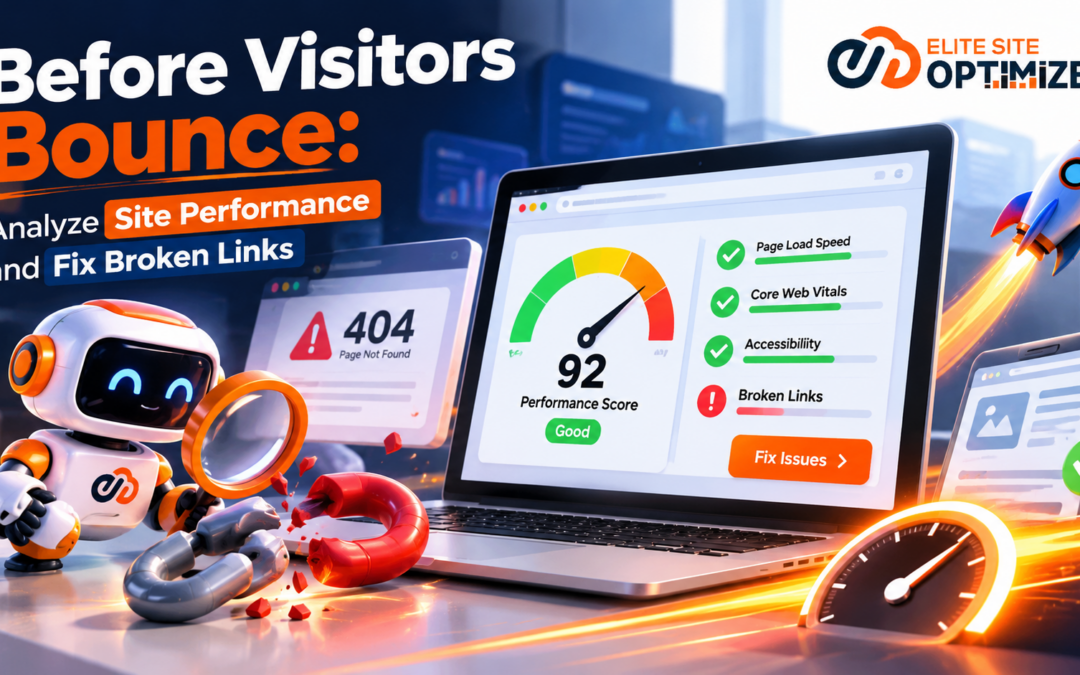
Imagine a potential customer discovering your website through Google. They click your link, expecting a smooth browsing experience. Instead, the page takes too long to load, images appear slowly, or a crucial navigation link leads to a 404 error.
Within seconds, that visitor may leave your website and explore a competitor’s instead.
This is where Website performance analysis plays a crucial role. Regular website performance analysis helps businesses identify slow-loading pages, broken links, navigation errors, and other technical issues that negatively affect user experience.
Website performance and functional navigation are essential to delivering a positive digital experience. Even compelling content and effective marketing campaigns can struggle when visitors encounter slow pages, broken links, or frustrating navigation.
A high-performing website does more than attract visitors. It keeps them engaged and encourages them to take action.
That’s why businesses must prioritize Website performance to monitor website speed, identify broken links, improve navigation, and resolve technical issues before they affect user experience, search visibility, and conversions.
Why Website Performance Matters More Than Ever
Website performance refers to how efficiently a website loads, responds to user interactions, and delivers content across devices.
When a website performs poorly, visitors may encounter delayed page loading, unresponsive buttons, shifting layouts, or interrupted navigation.
Implementing effective Website Performance Optimization strategies helps businesses improve loading speed, enhance responsiveness, and deliver a smoother browsing experience across devices.
These improvements reduce friction throughout the customer journey and encourage visitors to stay engaged with the website.
Website speed is only one part of a smooth browsing experience. Maintaining healthy links is equally important, as broken or outdated URLs can interrupt the user journey. Understanding why website speed and link health matter can help businesses take a more complete approach to website optimization.
1. Slow Loading Pages Increase Visitor Frustration
Today’s internet users expect fast and accessible websites. When pages take too long to load, visitors may abandon them before exploring the content.
Slow loading times can also affect important business actions, including:
- Product discovery and purchases
- Contact form submissions
- Newsletter registrations
- Demo requests and service inquiries
A technically optimized website helps users access the information they need without unnecessary delays.
2. Website Performance Influences Search Visibility
Google considers page experience signals, including Core Web Vitals, within its ranking systems.
Although website speed alone does not determine search rankings, performance improvements can support a better user experience and contribute to overall SEO quality.
A website with strong technical foundations also makes it easier for search engines to access and understand important content.
3. Poor Performance Can Reduce Conversions
Consider an eCommerce website where product pages load slowly or checkout buttons respond inconsistently.
Even interested buyers may hesitate to continue.
Similarly, a B2B website with delayed service pages or malfunctioning contact links may lose valuable inquiries.
Website optimization is not simply a technical improvement. It is an investment in the customer experience and conversion journey.
Understanding the Website Performance Metrics That Matter
Before improving website performance, businesses need to understand which metrics reveal problems.
Google’s Core Web Vitals provide a useful starting point.
Largest Content full Paint (LCP)
LCP measures how quickly the largest visible content element appears on the screen.
A good LCP score is 2.5 seconds or less.
Slow server responses, large images, and render-blocking resources can negatively affect this metric.
Interaction to Next Paint (INP)
INP measures how quickly a website responds visually to user interactions such as clicks, taps, and keyboard input.
A good INP score is 200 milliseconds or less.
Poor responsiveness can make a website feel slow even after the page has loaded.
Cumulative Layout Shift (CLS)
CLS measures unexpected visual movement during page loading.
A good CLS score is 0.1 or less.
For example, when a button moves because an image loads late, users may accidentally click the wrong element.
These metrics should be evaluated alongside server response times, page size, resource loading, and overall mobile performance.
Broken Links: The Hidden Problem Behind Website Abandonment
While slow pages frustrate visitors, broken links can completely interrupt their browsing experience.
A broken link directs users to a webpage or resource that cannot be accessed successfully.
Common causes include:
- Deleted or relocated webpages
- Incorrect URLs
- Website migrations without proper redirects
- Outdated internal links
- Changes to external websites
- Incorrectly configured redirects
How Broken Links Affect User Experience
Imagine visitors reading a blog post and clicking a link to learn more about a service.
Instead of finding the information they expect, they encounter a 404 error.
This creates an unnecessary obstacle and may cause users to abandon their journey.
Broken links can also undermine confidence in the website, particularly when they occur on important service, product, or conversion pages.
Do Broken Links Affect SEO?
Broken links do not automatically result in a search ranking penalty.
However, large numbers of broken internal links can create crawling inefficiencies, interrupt navigation, and prevent visitors and search engines from accessing valuable content.
Conducting a regular Technical SEO audit helps businesses identify broken links, resolve crawling issues, and maintain a well-structured website.
When important webpages become inaccessible, their ability to attract organic traffic and generate conversions may also be affected.
Maintaining healthy internal linking supports a clear website structure and helps search engines discover relevant pages.
How to Analyze Website Performance and Fix Broken Links
A systematic website audit helps businesses detect performance issues before they become recurring problems.
Step 1: Conduct a Website Performance Audit
Start by evaluating the loading speed and responsiveness of important pages.
Along with performance metrics, it’s important to review the overall technical health of your website. A regular website technical health audit can help uncover crawling issues, incorrect redirects, and other hidden problems that may affect search visibility.
Focus on your homepage, service pages, landing pages, product pages, and conversion-focused pages.
Examine:
- Core Web Vitals
- Mobile and desktop performance
- Image and media loading
- Server response times
- JavaScript and CSS resource efficiency
Identify pages with the greatest impact on traffic, engagement, and conversions.
Step 2: Identify Broken Internal and External Links
Use a website crawler or broken link checker to scan webpages and identify inaccessible URLs.
Pay particular attention to internal links that return HTTP errors such as 404 or 410.
Review external links to confirm that they still lead to relevant and accessible resources.
Also inspect navigation menus, footer links, call-to-action buttons, and important content references.
Step 3: Fix Broken Links and Redirect Errors
Once broken links have been identified using a broken link checker, the next step is to determine the most appropriate solution. A reliable broken link checker helps website owners detect inaccessible URLs, identify navigation issues, and maintain a seamless browsing experience.
If a page has moved permanently, update internal links to point directly to its new URL.
Implement a 301 redirect when the original URL needs to continue directing visitors and search engines to a relevant replacement.
For deleted content without a suitable alternative, consider removing outdated links or presenting a helpful custom 404 page.
Regularly using a broken link checker helps businesses maintain healthy website navigation, improve user experience, and prevent broken links from negatively affecting SEO performance.
Avoid redirecting unrelated pages to the homepage, as this can confuse visitors and search engines.
Step 4: Optimize Heavy Website Resources
Large images, unnecessary scripts, and poorly configured resources can increase loading times.
Improve performance by:
- Compressing and properly sizing images
- Using modern image formats where appropriate
- Removing unnecessary JavaScript and CSS
- Enabling browser caching
- Implementing a content delivery network when beneficial
- Lazy-loading below-the-fold media
- Reducing unnecessary third-party scripts
These improvements can create faster and smoother browsing experiences across devices.
Step 5: Test Mobile Website Performance
Mobile visitors may experience different performance challenges from desktop users.
Slow mobile networks, smaller screens, and limited processing power can expose issues that are less noticeable on desktop devices.
Review website layouts, navigation menus, interactive elements, and image rendering across different screen sizes.
A mobile-friendly website should remain responsive, readable, and easy to navigate.
Step 6: Monitor Website Health Continuously
Website optimization should not end after a single technical audit.
New content, plugin updates, redesigns, and website migrations can introduce additional errors.
Implementing regular Website health monitoring, performance reviews, and broken link scans helps businesses identify emerging issues before they affect user experience and search visibility.
Prioritize high-traffic and revenue-generating pages, then address lower-impact problems systematically.
Common Website Optimization Mistakes to Avoid
Many businesses focus exclusively on visual design while overlooking technical website health.
Some common mistakes include:
Ignoring mobile performance: A website that performs well on desktop may still frustrate mobile visitors.
Fixing only homepage issues: Performance problems may exist across service pages, blogs, and conversion funnels.
Overlooking internal broken links: A damaged internal linking structure can disrupt website navigation and content discovery.
Using unnecessary redirects: Long redirect chains can create additional requests and complicate navigation.
Treating optimization as a one-time task: Continuous monitoring is necessary as websites grow and change.
A comprehensive website health strategy should combine performance analysis, technical SEO, link validation, and ongoing monitoring.
Turn Website Performance Insights Into Better User Experiences
Attracting website visitors is only the beginning of the digital marketing journey.
Keeping them engaged requires a website that loads efficiently, responds smoothly, and provides reliable access to information.
By analyzing performance metrics, repairing broken links, improving mobile usability, and monitoring technical issues, businesses can reduce unnecessary friction throughout the user journey.
The goal is simple: Identify website problems before visitors experience them.
Analyze, Optimize, and Improve Your Website With Elite Site Optimizer
Managing website performance and detecting technical issues across hundreds of webpages can be time-consuming without the right tools.
Elite Site Optimizer (ESO) helps businesses, SEO professionals, and digital marketing agencies evaluate website health and identify optimization opportunities through its website analysis and performance capabilities.
With Elite Site Optimizer, you can:
Analyze Website Performance: Identify performance-related issues that may affect page loading and user experience.
Detect Broken Links: Discover inaccessible links and navigation issues that need attention.
Improve Technical SEO: Identify technical website problems that may affect crawling and search visibility.
Evaluate Website Health: Review important website optimization signals in one platform.
Support Continuous Optimization: Use audit insights to prioritize improvements and maintain website quality.
Whether you’re managing a business website, an eCommerce store, or multiple client websites, Elite Site Optimizer helps simplify the process of identifying and addressing technical optimization challenges.
Don’t Let Website Issues Drive Your Visitors Away.
Find performance issues. Fix broken links. Create better website experiences.
Start analyzing your website with Elite Site Optimizer today.
Ready to improve your website’s search performance?
Sign up for Elite Site Optimizer and start analyzing your website’s SEO, accessibility, performance and content quality.
Start Your Free Signup